How to download your OPay statement
The short answer
In the OPay app, open Transaction history and tap Download. Choose your dates, pick XLSX (not PDF), continue, and enter your PIN. OPay then emails the statement to you. Download the .xlsx attachment from that email.

Step by step, with pictures
1
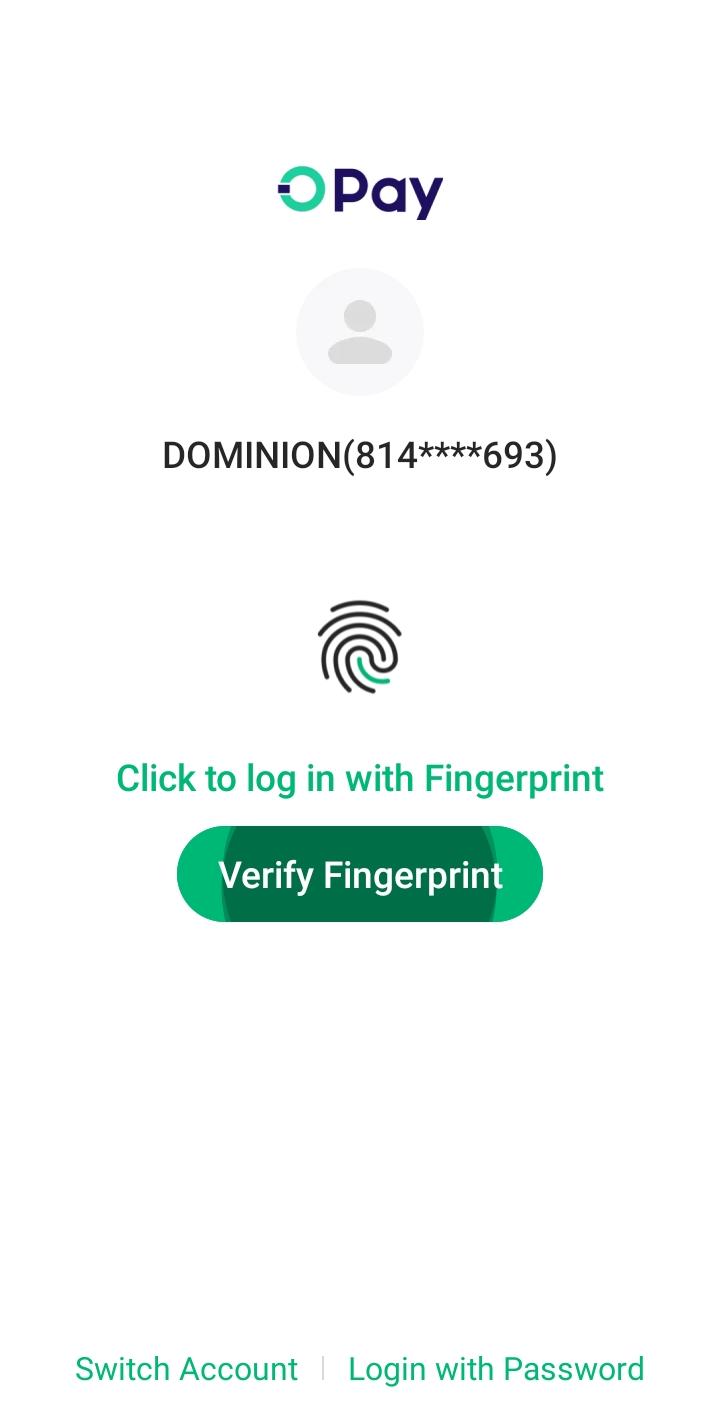
Log in to the OPay app
Open OPay on your phone and sign in as usual.
2
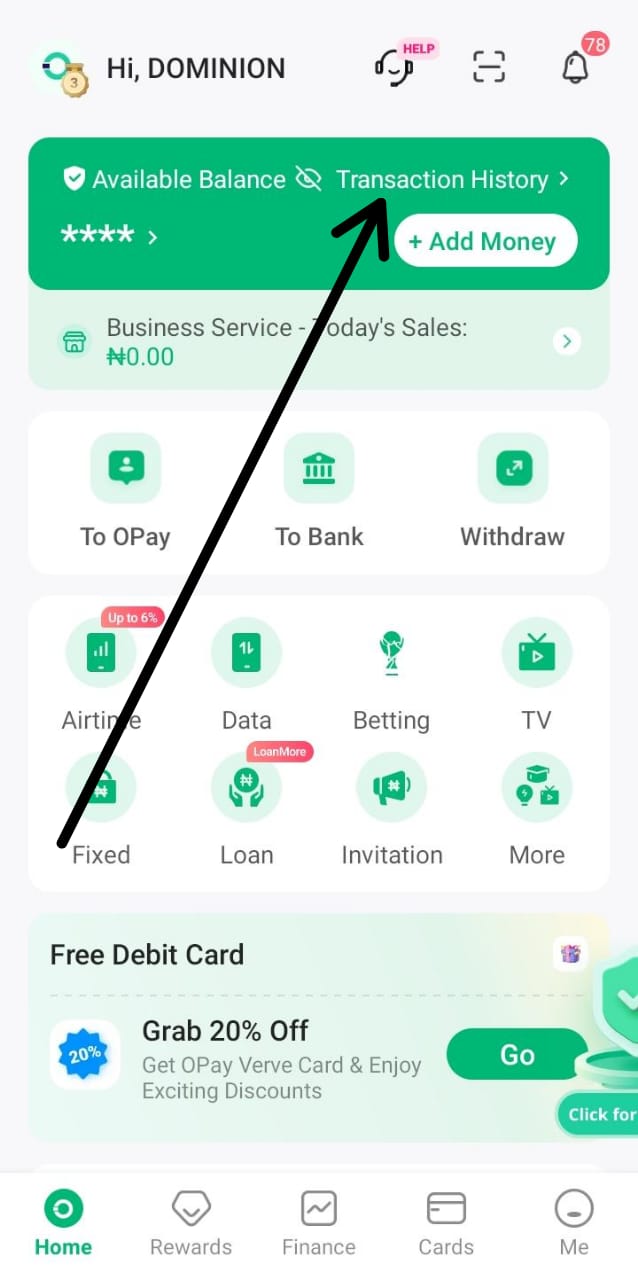
Open Transaction history
On the home screen, beside Available Balance.
3
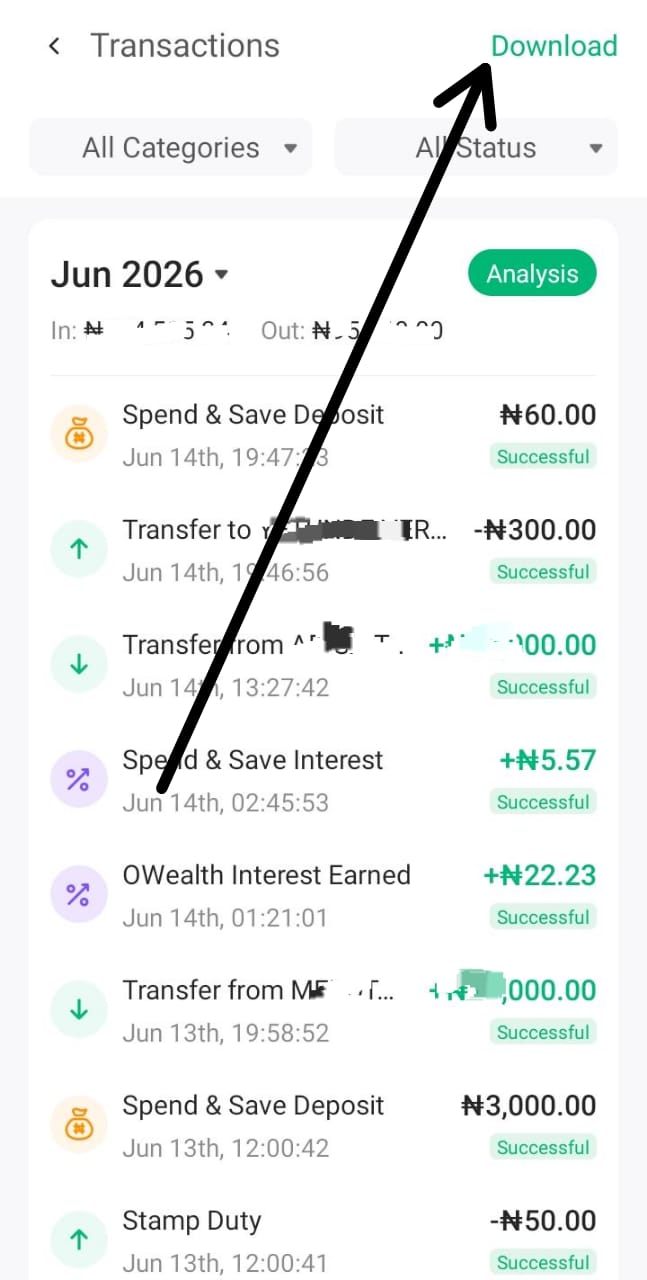
Tap Download
Top right of the Transactions screen.
4
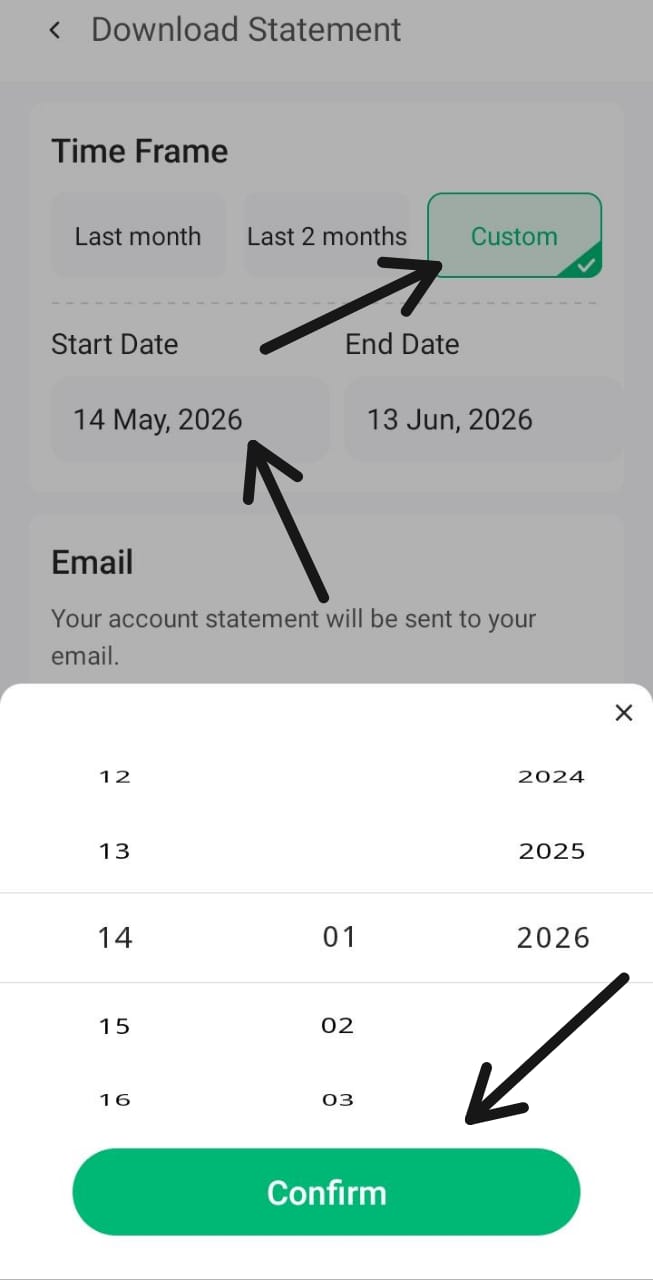
Choose a custom date range
Pick the start and end dates you want, then confirm.
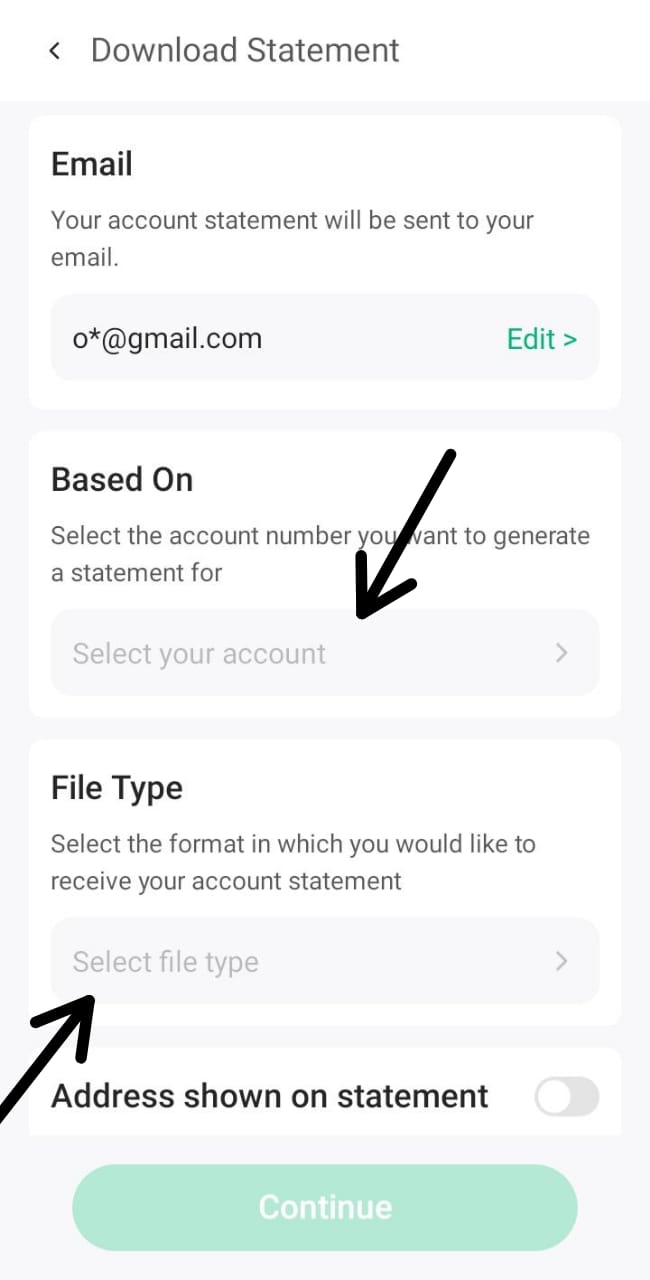
5
Select the account and file type
Under Based On, pick your account. Then open File Type.
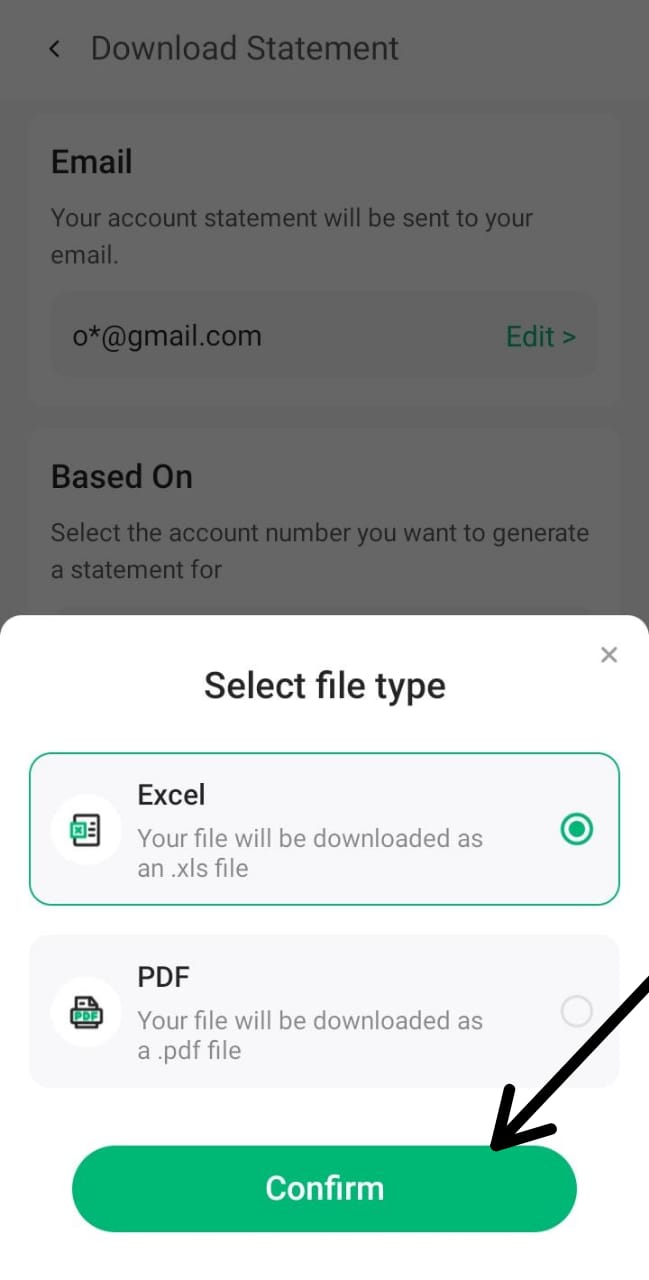
6
Choose XLSX, not PDF
O-Sight reads the Excel file. A PDF will not work.
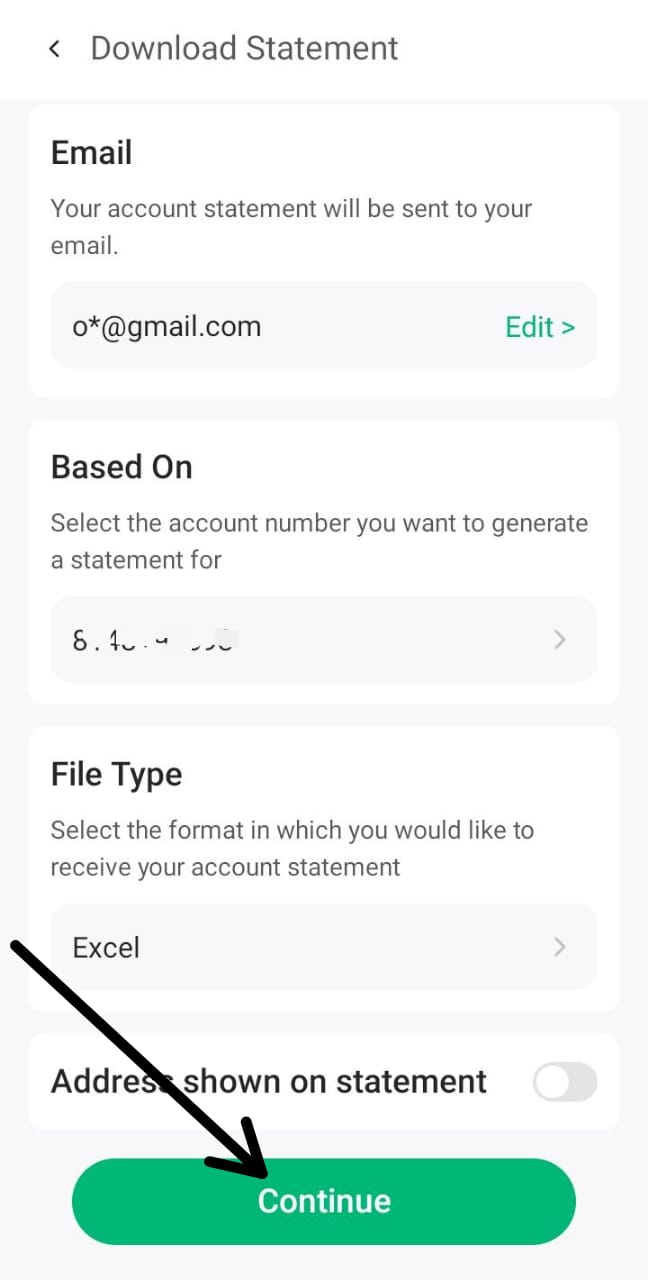
7
Tap Continue
Check the details, then continue.
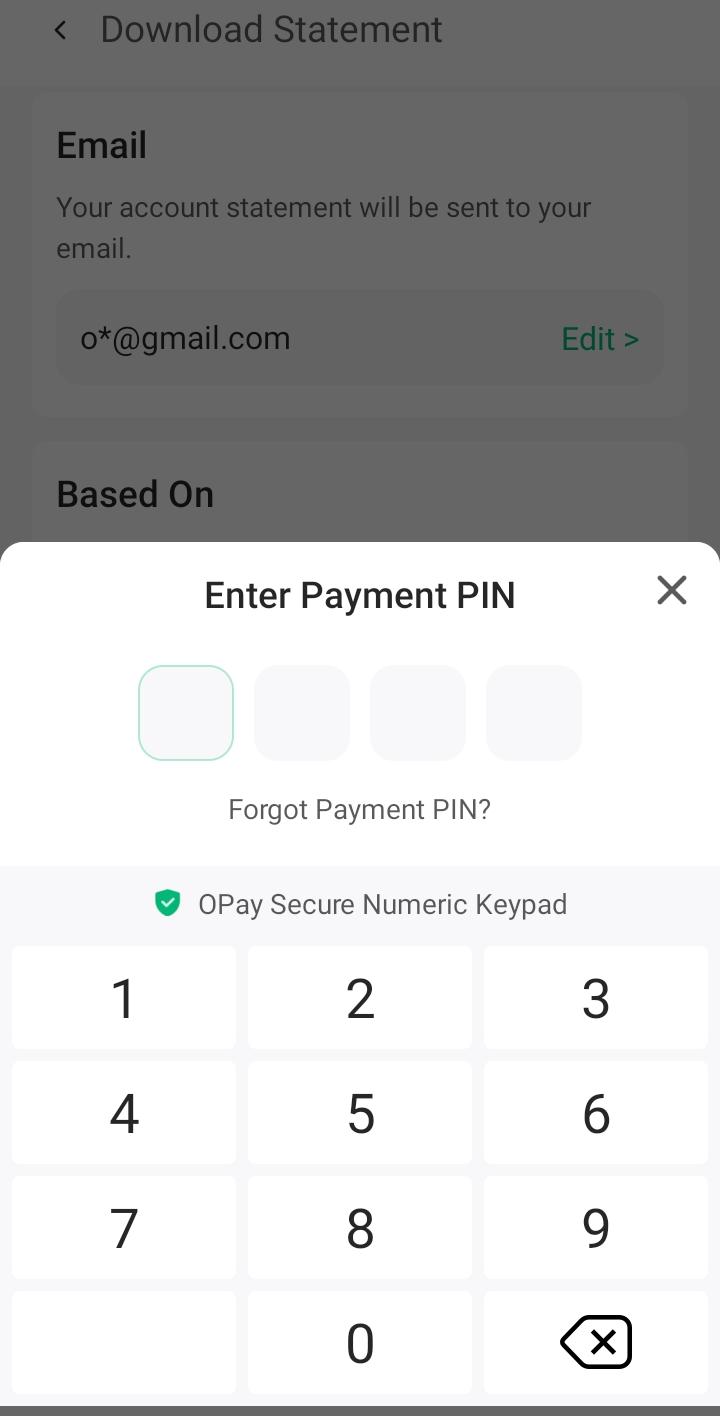
8
Enter your PIN
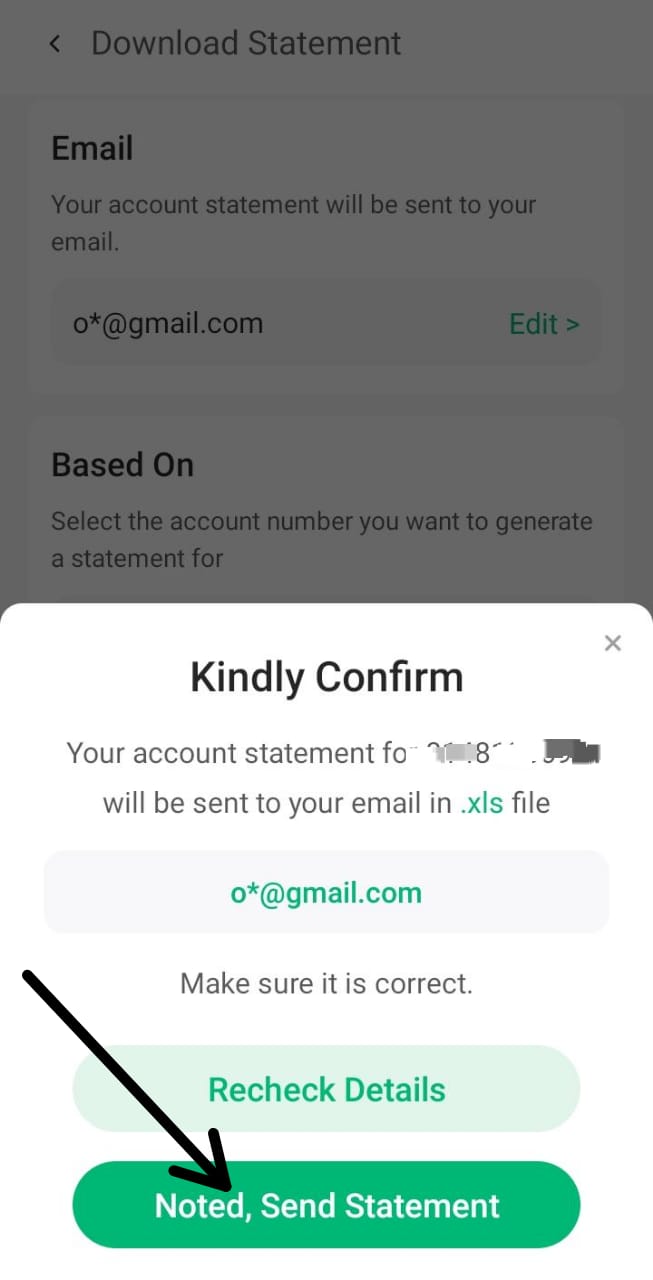
OPay asks for your PIN to confirm it is you. This happens in the OPay app, never on this site.
9
Tap Proceed
Confirm the request.
10
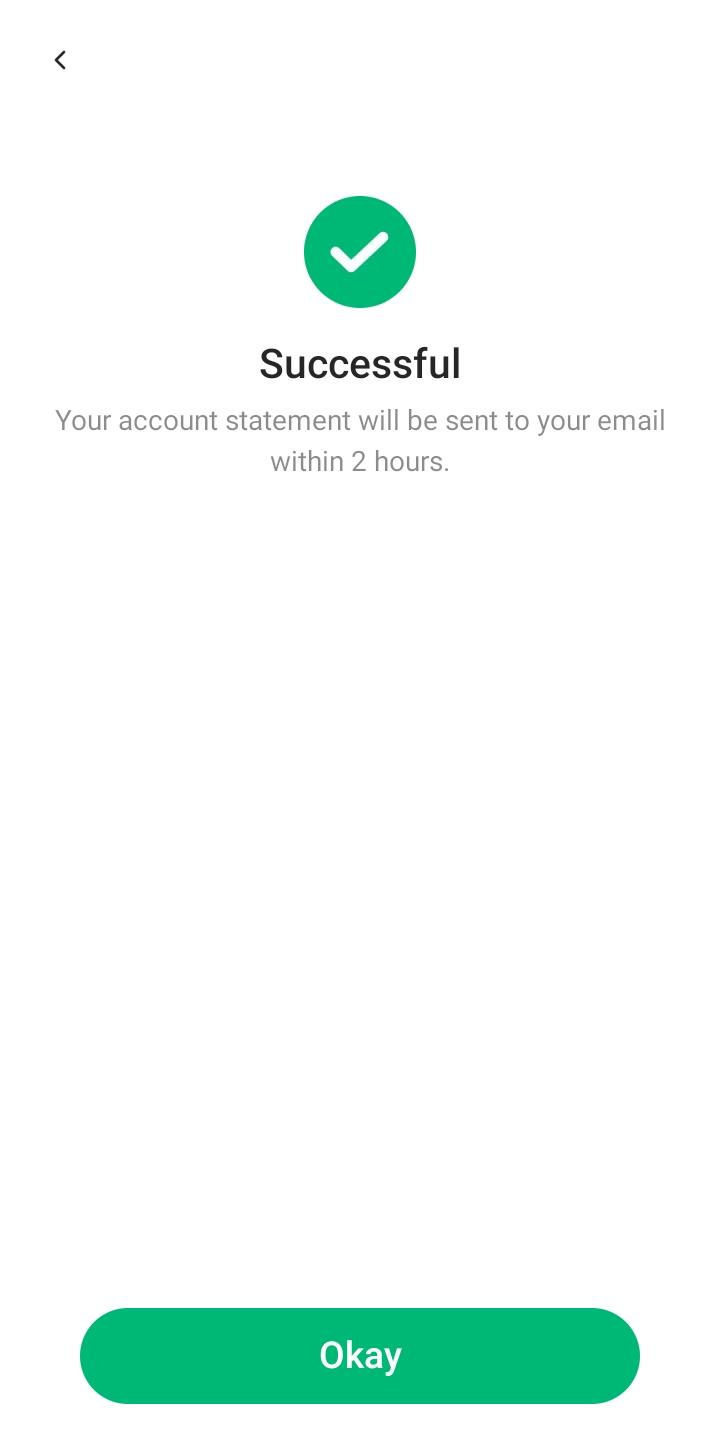
Wait for the success message
OPay confirms the statement is on its way.
11
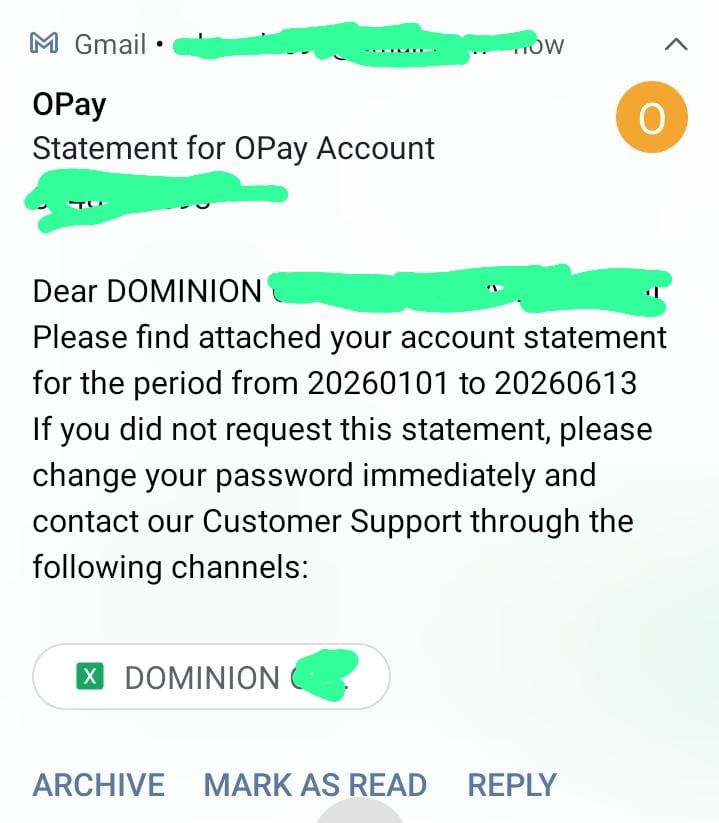
Open the email from OPay
OPay sends the statement to the email on your account. In our test it arrived within minutes.
12
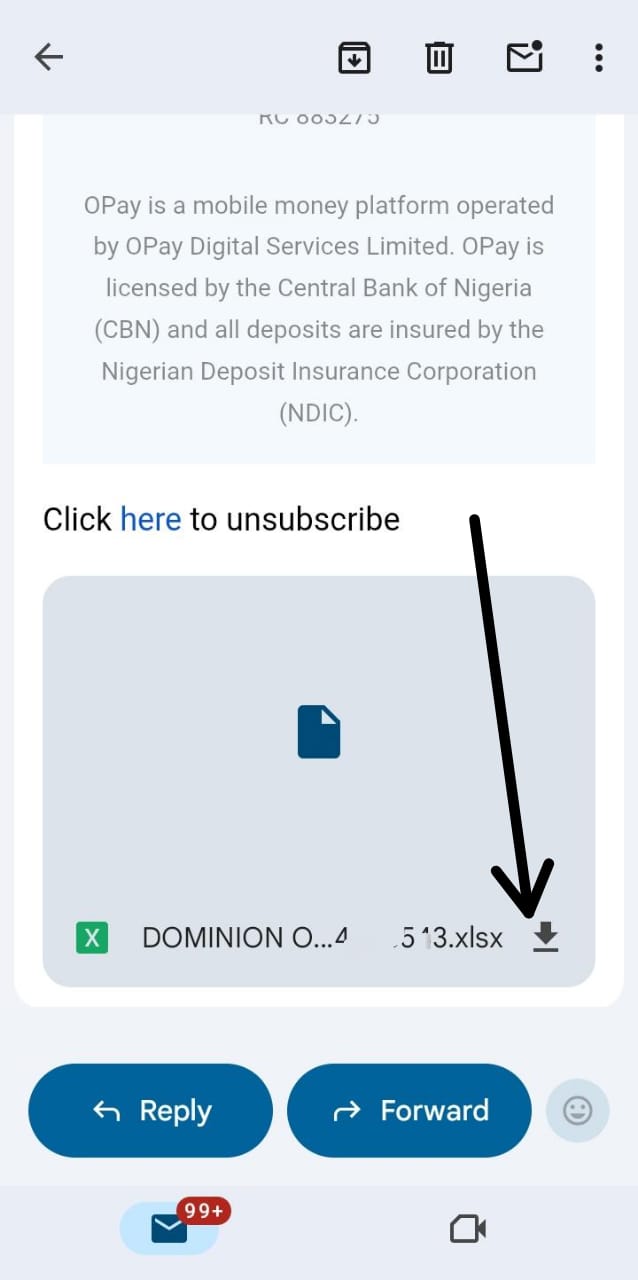
Download the attached statement
Tap the download arrow on the .xlsx attachment, then upload that file here.
Why Excel, not PDF?
The Excel file holds each transaction as a row, with its own amount and running balance. That can be read exactly and checked row by row. A PDF is a picture of a page, and reading it back is guesswork.
What to do with it next
- See where your money went: real income, spending and savings
- Make a one-page proof of income for a landlord
- Make a statement of funds for a visa application
Questions
How long does OPay take to send the statement?
In our test it arrived within minutes. If it does not, check your spam folder and the email address on your OPay account, or ask OPay support.
How far back can I go?
You choose the dates. Pick the months the person asking needs: often 3, 6 or 12 months.
Can I get a stamped statement?
Ask OPay support whether they can provide a stamped or signed statement for your purpose. The Excel file from the app is what O-Sight reads.
Is my statement uploaded when I open it in O-Sight?
No. The file is read on your own device. Nothing is uploaded.
See your own money, clearly.
Read on your device. Never uploaded. Or try the sample on the home page.